Friday, January 19, 2018

Chromebook Academy

I am so excited that our first graders and kindergarten students will be learning to use the Chromebooks this week. When our school first purchased the Chromebook carts, I had quite a few people tell me that they did not think little ones could use them successfully.

Challenge accepted!!

So, I started researching some things and found Clever badges. I immediately sent the information to my library direction, who in turn talked with our technology department. I was so excited to be chosen as one of the pilot schools for the Clever badges.

Sometimes all you have to do is ask! 

After we got word about the clever badges, and I got them all printed out, laminated, and ready to go, Chromebook Academy was in the works. We started off with simple steps -- how to carry our Chromebook, how to open and close the Chromebook, logging in, using the touchpad, etc... The excitement was contagious! 

Look at these smiles! 
I lay my Chromebook flat on a table to use it. 
Kindergarten students can use Chromebooks, too. 
I hold my Chromebook with two hands.

Chromebook Academy

I got the idea of calling it Chromebook Academy from my kids' kindergarten teacher. We were blessed to be able to have the same teacher for both my son and my daughter, and she was AMAZING!! She had different academies throughout the school year, such as shoe tying academy. The students received certificates once they passed the academy. 

I created the presentation below to guide us through each day and each step. This is still a work in progress, but feel free to use the presentation for your school. 


Don't underestimate young students, they are very capable of learning how to use technology. However, don't assume they know how to use technology just because they can play on a tablet. They must be shown how to effectively use devices. 

I will also add that our second grade students were taught how to use the Chromebooks at the beginning of the school year, and all second grade students can login using their Google Account logins. They can learn, and they can use the devices! 

Friday, January 5, 2018

Theme and Character Change

One of the highlights of my job is collaborating with teachers on my campus. Collaboration is easy, you just have to start small! There are so many things that you can collaborate with the teachers about and have co-teaching happen in your school library.

While ELA is not the only subject that librarians can collaborate about, it seems to be the most popular. I am always collaborating and planning with the ELA teachers. One great lesson we did recently was over theme and character change.

I created a template in Google Draw and added it to Google Classroom. Each student had their own copy, and filled in how the character changed throughout the story.


The next week, we discussed theme! I wanted to make it fun and let the kids move around. There is so much more room to move around in the library than in the classroom. The teacher used an app called Chawzi, which groups students. 4 - 6 students put their fingers on the iPad and a colored dot comes up under their finger. This lets them know which group they are in.


Each group received a folder with their mission. The mission was to identify the theme in a story using clues.


Inside each folder was a set of clues to look for, as well as a list of common themes found in literature. Students then had to search the library for their assigned story, and start hunting for the theme.


The students had loads of fun, and learned a lot about finding theme.


Sunday, October 8, 2017

Powered Up Week #poweredlibraries


This past week, October 1-7, was Power Up Week, a week where libraries across the state showcase innovation and dynamic leadership. I was excited to participate this year and showcase some of my programs this year on twitter. Powered Libraries even used one of my pictures and tweets in one of their daily highlights! 

Advocacy Monday

I try my best to advocate for my library everyday! This year I sent out a smore showcasing everything that had happened in the library in the month of September. 


This was sent to my administrators, as well as the teachers on campus. This helps them to see what is done with all the grade levels, not just what I do with their classes. 

I also started the week with a collaboration project with the 5th grade teacher. They have been studying the US Regions, so she brought them in for a quick lesson on citing sources and using Google Drawings to create a poster and share with the group. Since they used Google, students were able to work on this at home together, using the comment section to collaborate. 


Tinkering Tuesday

Tuesday was probably my favorite day of the week. Kindergarten was introduced to the MakerSpace materials, which I will pull out once a month for them. It was the quietest they have ever been in the library, they were so involved in their building. 


Web Widget Wednesday 

Wednesday was another collaborative project, this time with the 4th grade ELA teacher. We worked together to review the genres, and for Wednesdays lesson I created a Kahoot for the kids to play.  Feel free to use this kahoot in your class/library to review types of genre. 


The best part of collaborative teaching and my flexible schedule, is both myself and the teacher work together to ensure that the students understand. The teacher tells me the skill they want and the end product, and we plan together. I created the Kahoot and she went over the concept and did the checking for understanding. 


Powerful Partnership Thursday 

This year, I decided to participate with the second graders in the 2017 Global Read Aloud. We are reading books by Mem Fox and connecting with other classes around the world. This week, we read KOALA LOU by Mem Fox, then looked at Australia on a map to see how far away it is.

We connected with other classes through a padlet created by Mrs. Ockey to connect with others. We added our favorite parts of the story, and answered some of the questions asked by other 2nd graders. We also looked at where the other students were from on the map compared to where we live. 

The students thought it was fabulous that other kids their age around the world were reading the same book. 

Another way we partnered up this year was with the author/storyteller, Mary Brooke Casad. Even though it took place on Friday, it still shows our partnerships with people in our community. Mary Brooke Casad is the author of the books Bluebonnet the Armadillo, and she lives not far from our city. She came to speak with our 4th graders this year about her stories and how she became a writer. Her message to the students is to "Keep reading and keep writing!" 


It was a fabulous week, and I can't wait to see what our school will do next year for Powered Up Week!! If you did not participate this year, I highly encourage you to get out and advocate for your library and all you can do for your school!

Wednesday, October 4, 2017

Reviewing Genres with 4th Grade

One of my favorite lessons when I was the 4th grade ELA teacher was introducing all the different genres. I used to do a book challenge with my students to read at least one book of every genre. If you've never read a mystery, you don't know if you like mysteries!! Try it, you may like it!

The 4th grade teacher asked me to help her introduce genres to her classes. We collaborated on this last year as well. This year, we decided to make it 2 lessons, instead of only one. The first week we went over the genres and their definitions. I created a slide show using Beth Newingham's posters, which are available for any education use.


After the slide show, students were broken up into groups and placed at a table with a stack of books. They had a set time to decide together which genre the books belonged to. Then, students rotated around to each table to browse through each genre. They wrote down at least one title from each genre on their recording sheet of a book they might like to read.


You can also read about last year's genre lesson.

The second week, we integrated some technology by playing a Kahoot game. Feel free to use this kahoot with your students. They had so much fun, and it gave the teacher the opportunity to go over misunderstandings of the different genres.

Look at these smiles!!! Having fun learning! 


Here the teacher is going over details about the types of genre that students are mixing up. 

On another fun note, it was Christmas in September!! Our new books arrived last week, and we are getting them ready for the shelves. We love getting new books!


Sunday, September 24, 2017

Cyber Safety Smart

Our school district has a week every year where we discuss Cyber Safety with the students. I highly believe that this discussion should happen year round, not just during this designated week. This year, as every year in the past, I partnered up with the teachers to teach Cyber Safety to our amazing scholars. Yes, even with our kindergarten students! I am a firm believer that instead of blocking everything, schools should be teaching students to be responsible users of the internet.  Some things do need to be blocked, but instead of banning all devices and all website outside of the programs purchased by the district, we should instruct our students to properly use social media.

Kinder and 1st grades

YES! Even kinder needs to learn how to be safe on the web. We talk about "stranger danger" all the time, but shouldn't we be talking about strangers on our computers, tablets, and iPhones. OK, so most 5 and 6 year olds don't have a phone, but how many play games on the computer? Many games now days have a way to connect with another player in order to complete missions. Even our youngest students need to know that the person on the other side may not be how they say they are. 

With my younger students, we talked about Going Places Safely online, and I used a lesson from CommonSenseMedia. In this lesson students were able to:
  • discover that the Internet can be used to visit far-away places and learn new things.
  • compare how staying safe online is similar to staying safe in the real world.
  • explain rules for traveling safely on the Internet.
If you have not looked through the lessons on Common Sense Education, you need to browse and find a lesson that fits your students.

2nd Grade

Second graders learned what is safe and not safe to share on the internet when chatting with others online. Many of our second graders mentioned that they play games online, such as Minecraft, Rodeblox, and Wizard 101, where they can chat with other players and complete missions with other players. 

Many children at this age don't really think about the dangers of the other player possibly not being another kid their age. So, we watched a fun video with Timon and Pumba about what information we can and cannot share with other players online. 


After the video, each group completed a sort of what is safe and what is unsafe to share online. 


3rd Grade

Third grade is the year that students really start using Google for Education and Google Classroom often. Students are able to communicate and collaborate, even from home, on assignments using Google. So, I felt it important to go over the power of words online and how it can affect us emotionally. Even as adults, I feel like we forget that an actual person with feelings is on the other side of the computer. 

I adapted my lesson from Common Sense Education called "Power of Words", but I did tweak it a little to fit the time I had with the class and to fit what the teacher and I felt was best for the students.

<

4th Grade

Fourth grade had a higher level version of the lesson that I did with second grade. We discussed what is safe and unsafe to share online. A few 4th grade students are learning about social media and are starting to post things online. So, I let Professor Garfield talk with them about our digital footprints.


5th Grade

I was blown away when talking with the 5th graders at how much they do not understand about being safe online, but how much they are sharing online! When the teacher and I talked with them about conversations being deleted, they truly believed that if they deleted it, it was gone. They have a lot to learn! 

With 5th grade, we talked about the difference between Bullying and Cyberbullying. There were some great conversations going on in the groups. A few of them didn't take it seriously at first, but did at the end. This just confirms that these lessons need to go on all year long, not just during this designated week.


After we went over the lesson and watched the video, students got into groups and created a Venn Diagram comparing/contrasting Cyberbullying and Bullying. 


Poster Contest

Next week the posters will be judged and a school winner will be named!! I'm hoping for the district winner this year!! 


Wednesday, September 20, 2017

Dot Day Delight

September 15th is International Dot Day, which all started with the book THE DOT by Peter Reynolds. Dot Day is a day that we celebrate our unique talents and how each individual makes his mark in the world. Our art teacher, Ms. Eggers, and I collaborated again this year and came up with Dot stations for Kinder - 2nd grades.  This year went much smoother than last year. The stations were definitely the way to go! 

Reynolds, Peter H. The Dot. Candlewick Press, 2003.

In our first station, students made a dot anywhere on the paper. Then, they had to think about what they could create from that single dot. We had insects, snowmen, flowers, dinosaurs, and pokeballs just to name a few creations. It was amazing to see all the different ideas the students came up with.


The second station was Dazzling Dots! Students made between 3 and 5 dots on their paper, then making zigzagging around each dot with their crayons until the entire paper was covered. The students said it looked like firework on their paper. 

The third station "Not a Dot", similar to what Vashti creates in the book. Students traced a circle template in the center of their paper, then made a design around the circle to create "not a dot".  


The fourth station was the Morse code station. In this station students were able to look at Morse code and write their name and messages using Morse code. This was challenging for the students to decipher what their friends had written. 

The fifth station, and probably the most popular, was the Quiver station. If you have never used the Quiver app in your classroom or library, you must check it out! In this station, students decorated the inside of the dot on the special Dot Day Quiver paper. Then, we made their drawing come to life! The kids LOVED it!!


During art time, the older students drew dots in Kandinsky style. This is now hanging in our hallway as a mural. It looks fabulous!


I am so thankful that I am at a school where the teachers realize that the librarian is a teacher, not just the person that checks out books. I love collaborating with all the teachers. Next up is Cyber Safety week. 

Saturday, September 9, 2017

Library Orientation at Hillside

The first 2 weeks of school for the 2017-2018 school year are in the books as a success! I was able to see every class, and every student at Hillside has checked out! Woohoo!!

Welcome Back: The books missed you! 

It took me longer this year to get the library ready for the start of school due to the carpet installation. It took me a while to get the books back on the shelf, but looking on the bright side of things, I was able to study my collection better while unpacking. 

I am focusing on getting my library more organized and student friendly this year. I have made LOTS of changes in my 3 years here as librarian, but I have a lot more to do. I worked on getting the Self-Checkout station ready with instructions. I think this will help out when I'm teaching a class if students forget how to check out. So far, it is working! I'm hearing a lot more of the 'happy sounds' and no 'barking sounds'. I have the computer set up to 'bark' if a student does something wrong. That way, I can hear it no matter what area of the library I'm in.


Orientation Activities 

Each class came in for a 50 minute orientation the first two weeks of school. We went over my library promises, library procedures, and reviewed how to use the self-checkout machine.

Fourth graders came in to review logging into our Chromebooks and they all joined their teacher's Google Classroom, as well as the library Google Classroom.


With second grade, I read THE SHELF ELF by Jackie Mims Hopkins. No one has spotted our elf this year, he is hiding really well!


I love how this book goes over manners in the library, as well as taking care of our library books in a respectful manner. After reading, I had a sort at the tables with ways we could treat our books. Students sorted them into "no way" and "yes, of course!".


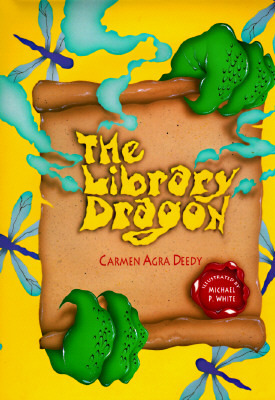
Third graders read THE LIBRARY DRAGON by Carmen Agra Deedy. This is one of my favorite books for library orientation. I love that part of the theme focuses on the library belonging to the children. 


After reading, third graders did a scavenger hunt through the library. Each group had a question, and they had to move to the area of the library that shows the answer. They had loads of fun! I did not create this scavenger hunt to go with the book, another amazing librarian did. You can find a copy for yourself on TpT.


Another group of 3rd graders came in to learn using the Chromebooks and Google apps. Let me tell you, having an extra set of eyes and hands when teaching the students to use technology devices is a wise idea. If you aren't already doing this as a librarian, start inviting your teachers to come into the library when the students need to use technology.  It truly helps them out!

After the students were able to login to the Chromebooks, they logged into our library catalog, Destiny. Then... the fun began! We played a Kahoot to review the library procedures. 


Finally... the books!

I have to brag on the teachers on my campus.... the majority of them were very open to my moving to a flexible schedule and have agreed that it is best for the students. I love co-teaching with my fellow educators, especially using technolgy with the students. However, as much as I know students love using the available technology, I love that they get more excited when it is time to look through the books!! Look at these sweet smiles when they open up their new library book they were able to choose.


These smiles right here are the reason I love my job!!!